


Memento
Making digital photo revisiting easier to find.
Overview
According to research, 1.4 trillion photos were taken in 2019, and 85 % were taken with smartphones. However, we hoard many photos but spend little time looking at them and just forget them in our phones’ storage.
Currently the existing apps and features are lack of user input so that users cannot have a meaningful photo revisiting experience.
This project explored how to better balance AI and human input to help users rediscover digital photos in ways that are meaningful to them.
The outcome was a set of proposed features for the iOS Photos app that enhance AI capabilities while incorporating lightweight user input, demonstrated across three different user scenarios.
Team
Solo project
My Role
User research
Prototype
Motion design
Usability testing
Duration
2022 Dec - 2023 Feb
Tool
Figma
Keynote
How might we add more user input to help people rediscover photos that make sense to them without spending too much human effort?
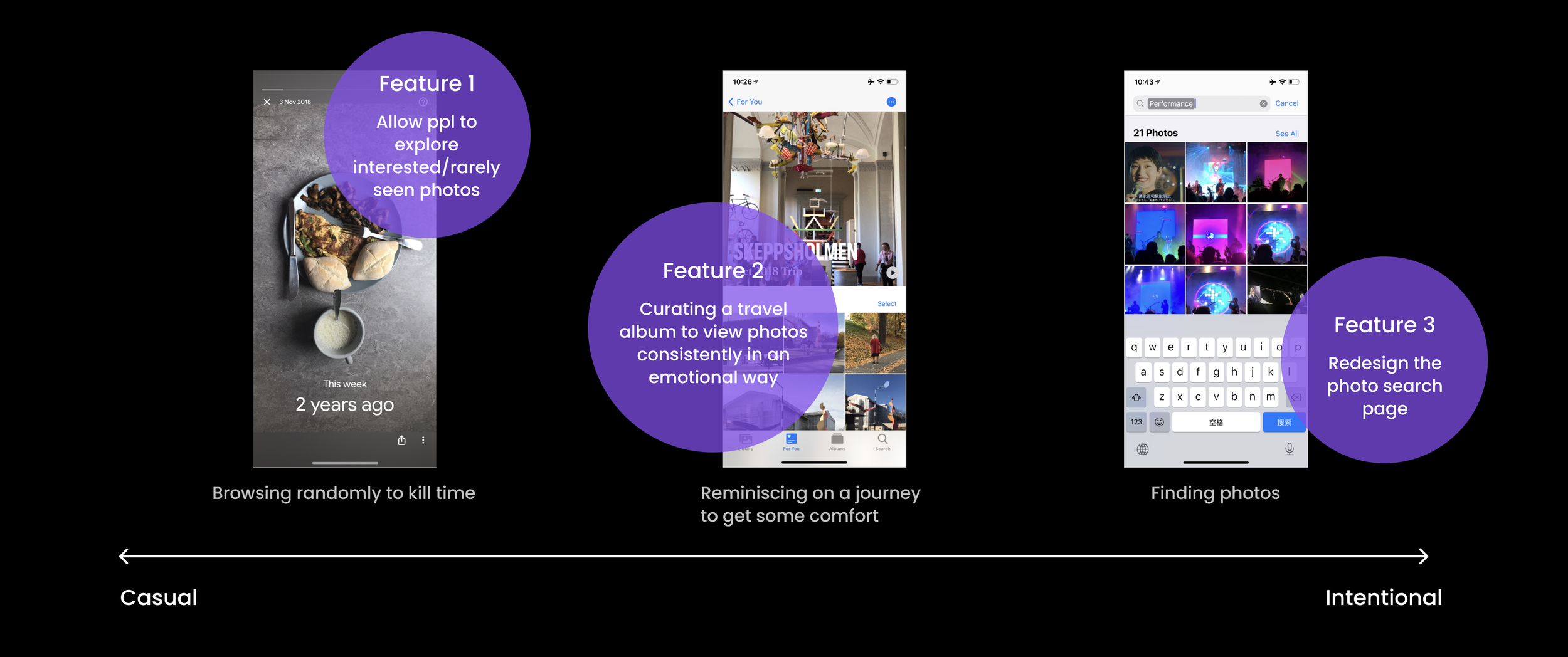
FEATURE 01
Rediscover your past travels

FEATURE 02
Turn everyday photos into something special ✨
FEATURE 03
Simplify photo search


The solution
Connect your daily moments to create fresh stories.
Design a delicate travel album to fully immerse in your memories.
Context-based prompts for easier keyword entry.
BACKGROUND & MOTIVATION
Have you ever scrolled endlessly through your camera roll, only to realize you rarely revisit those memories?
As a designer, I began to ask myself:
What’s the real value of collecting countless photos if we almost never look at them again?”

PROCESS
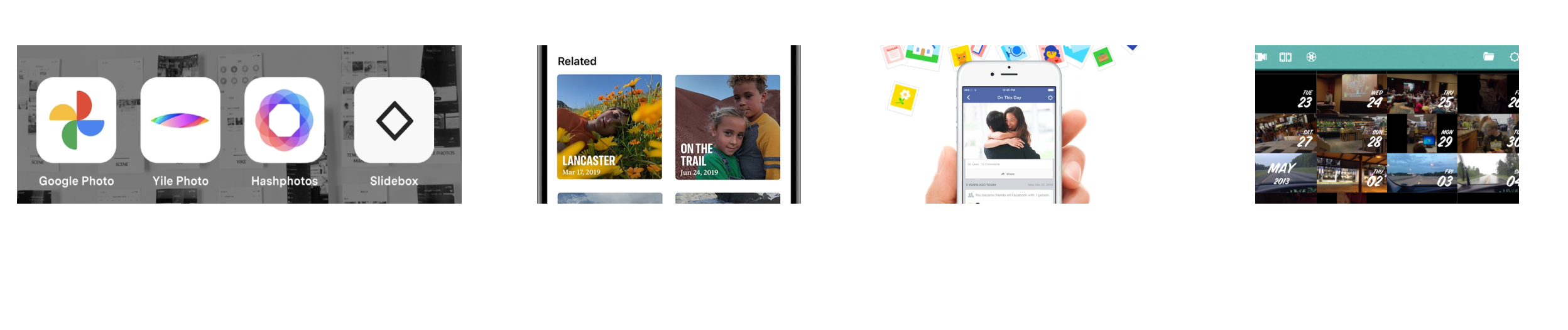
Smart category: Not accurate enough
Manual sorting: Time-consuming
A lot of unwanted photos included
Not enough user control over what photos are featured
Only applies for photos that uploaded on Facebook
Unhappy memories would appear (unpleasant past or a troubling time)
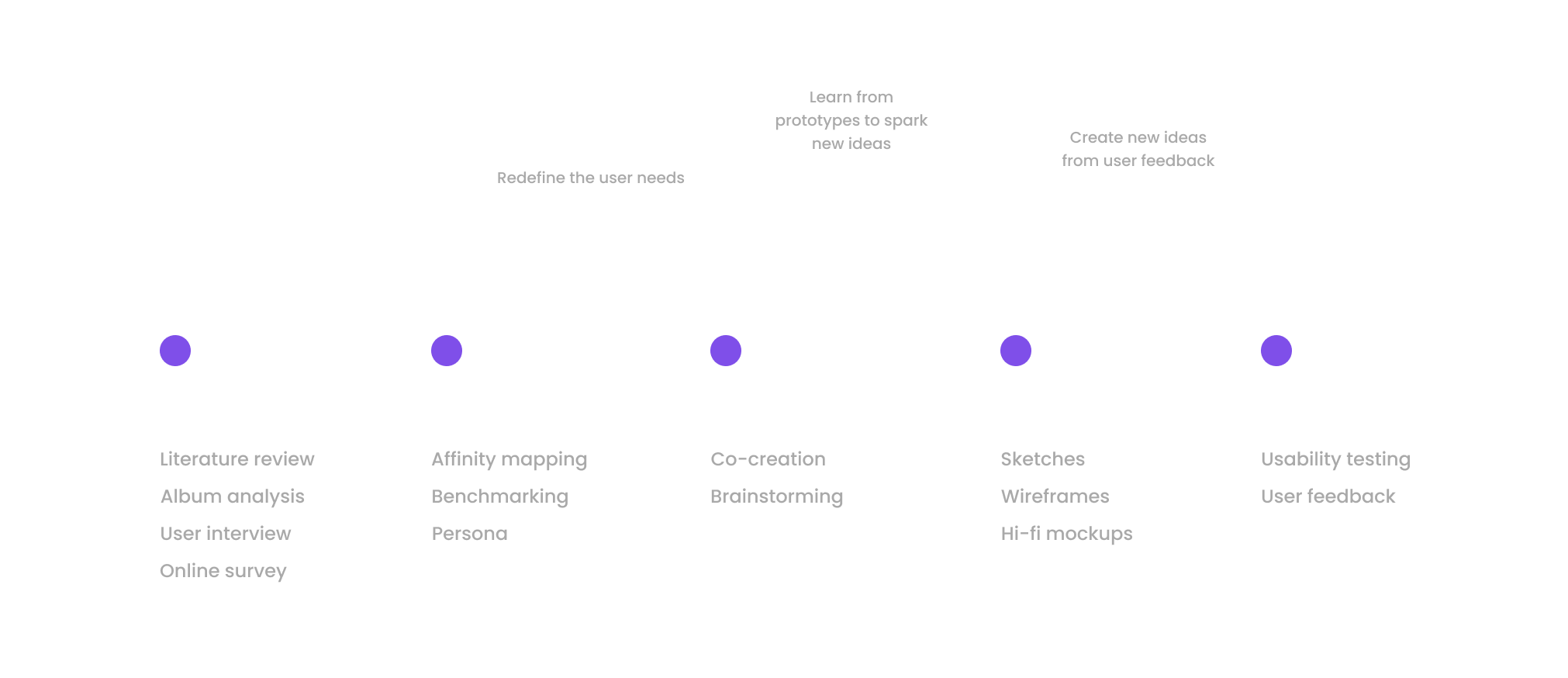
RESEACH: what has been done?
Visual clutter from screenshots and duplicates
AI organization doesn’t always work as expected
Manual photo organization is hard for users
Findings - why people don’t want to look at photos
What makes photos worth revisiting & meaningful?
Through an ideation workshop, I explored what makes photos meaningful to users, including
why they revisit them
when they do so, and
in what form those experiences feel most valuable.

Insights

Even a seemingly random snapshot can trigger ongoing associations and memories.
People usually revisit photos with a specific intention or reason, not randomly.
The meaning of a photo evolves over time as context and emotions change.
Travel photos are among the most valued and frequently revisited.
User input needs to be effortless and intuitive to encourage engagement.
People are reluctant to use third-party apps to manage their personal photo libraries.
Design for meaning beyond curation
Support intent-driven photo revisits
Allow meaning to evolve over time
Prioritize travel and milestone moments
Minimize required user effort
Build trust within native photo ecosystems
Moving forward

Low-fi wireframes
Share a bit about yourself so the algorithm can get to know you better.
Final prototype

00 Onboarding
Personalize preferences: Guide users to indicate what they like or dislike, so the algorithm can better surface the photos they enjoy revisiting.
Add key dates: Encourage users to enter personal information such as birthdays and festivals, enabling the system to group photos around meaningful moments.
Let users input their hometown to help the AI distinguish between everyday photos and travel memories.
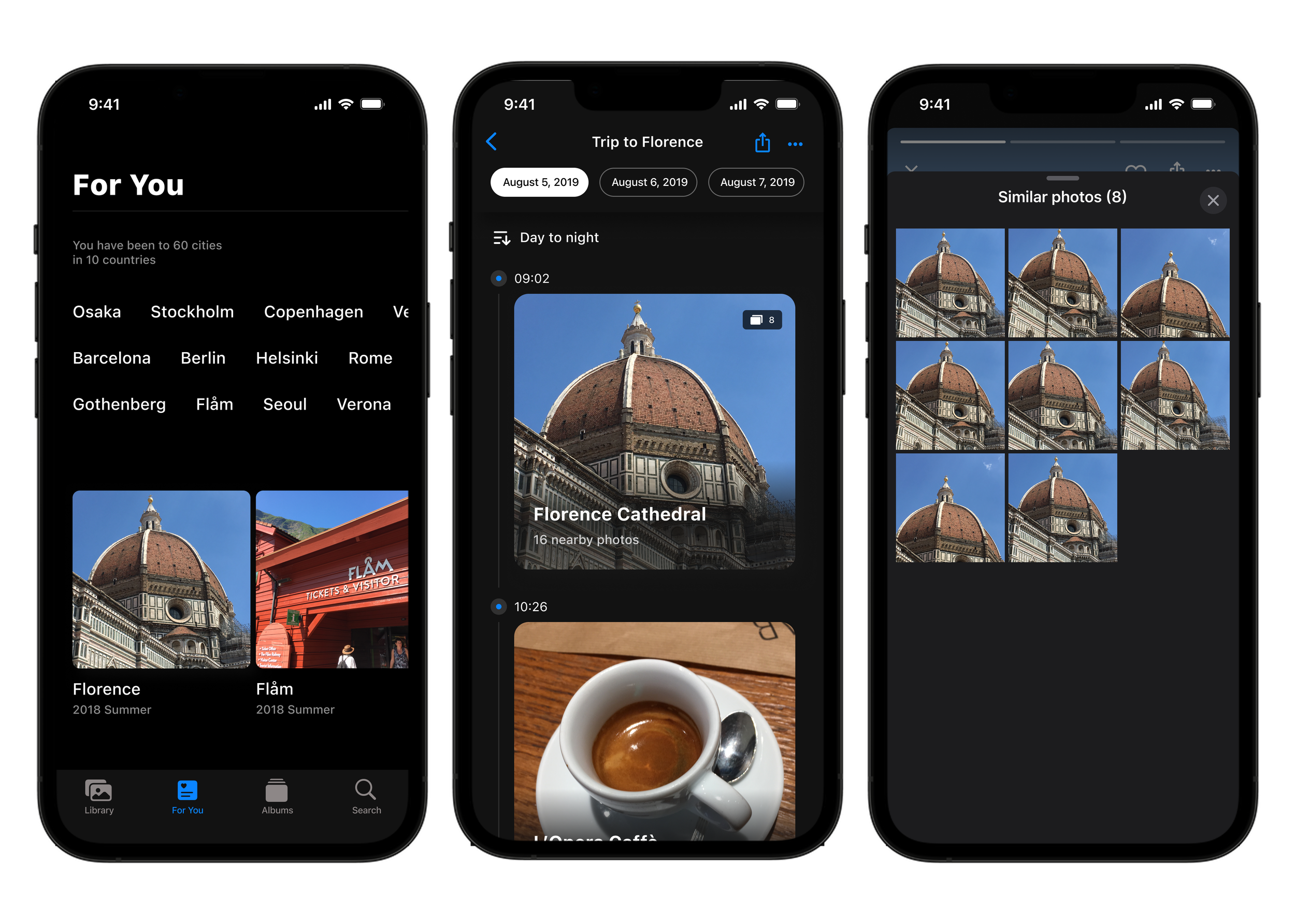
Effortlessly explore precious journeys
Quick access: Find all your journeys in the “For You” tab.
Timeline view: Recall your trips in an intuitive chronological layout.
Immersive experience: Explore memories in a visually engaging way.
Reduce clutter: Hide similar photos automatically.
02 Curating travel journeys
Make it easier to find the photos you want.
03 Ease the photo search
Guide users with hints: Many users aren’t sure what to input, which can lead to inaccurate search results. Provide context-based suggestions (e.g., “Christmas”) to help them get started.
Stepwise selection: Users can select one hint first, then choose multiple related keywords to refine their search.
Manual search option: Users can still enter custom search terms whenever they need full control.

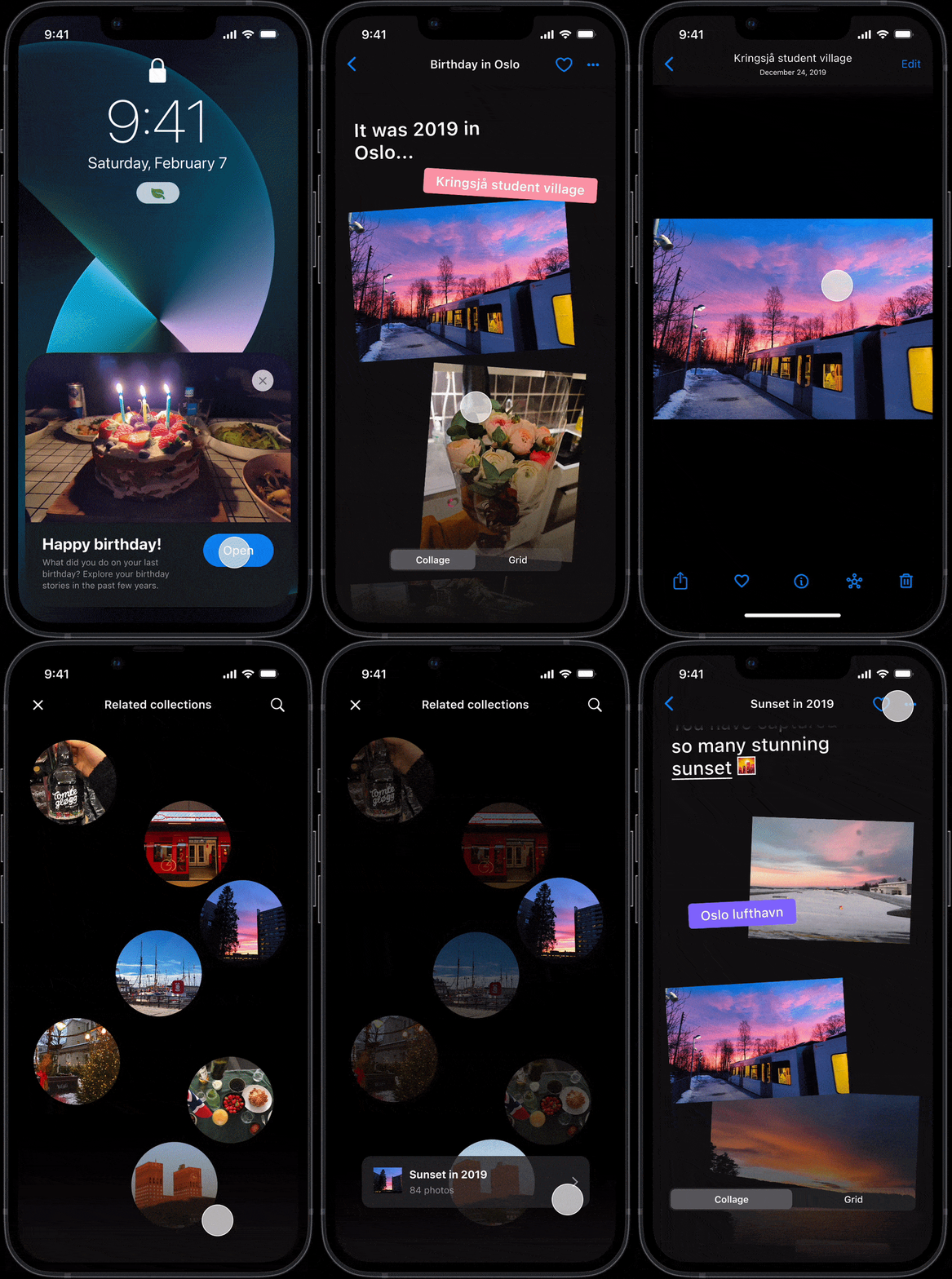
Celebrate meaningful moments and rediscover your memories.
01 Connecting daily moments
Discover curated collections: Users receive recommended photo collections to celebrate special days, like birthdays or festivals.
Experience a fresh view: Collage mode presents photos in a new, visually engaging way.
Explore related memories: Tap any photo to see more collections connected to it.
Quick access to exploration mode: Enter exploration mode by tapping a single photo.
Save favorite collections: Tap to save a collection for easy access later.

How does it fit into the app?
Outcome
I tested my final result with 5 users using iOS phone, asked them how was these new features make them feel photos become more accessible, help them to better recall memories and their desire to revisit them.
Here's a summary of how people rate their feelings towards theses design:
Accessibility
Memory reall
Desire to revisit

UI Iterations

DESIGN
Design system

FUTURE STEPS
What’s next?
Trigger users annotate on photos while browsing photos
Reflection
Should we take more photos? My answer is yes.
There’s often debate about whether we really need to document so much of our lives. But after working on this project, I’ve come to believe that we do.
While building the prototype with my old photos, I found myself wishing I had taken more. You never know when an ordinary moment will become something precious years later.

Since it’s unlikely we’ll start taking fewer photos, AI will increasingly play a role in helping users access them. While we can always ask users to input information once new features are released, the real challenge comes later: as time passes, how do we encourage users to update or annotate their photos in a playful way—so the AI can keep learning and reflecting their evolving interests?
Involve voice interaction
Accessibility
Many people still complain that their biggest frustration is not being able to find the photos they want. Some of the older participants I interviewed expressed a desire for more natural ways to search—such as voice interaction—which could serve as an easy and useful input method.
To ensure these features are inclusive, the next step is to evaluate them through the lens of accessibility. This means:
Testing photo discovery flows with users who rely on assistive technologies (e.g., screen readers, voice control).
Ensuring clear text alternatives and labels for AI-generated content, so photos remain meaningful even without visual cues.
Considering cognitive accessibility by keeping interactions simple, consistent, and easy to learn.
Exploring adaptable input methods, so users can choose touch, voice, or other modes depending on their abilities and preferences.

Limitations of Testing with Personal Photos
Using only my personal photos for testing introduced limitations. Due to privacy concerns, I relied solely on my own images, but since participants had no emotional attachment to them, emotional feedback was limited. Photos are deeply personal, and their meaning often depends on individual memory and context.
Testing with more users and their own photos could reveal more authentic reactions and uncover deeper insights.